Introduction
The clock is ticking — and if you’ve already applied for NTA CSIR UGC NET June 2026, you have a very short window to fix any mistakes in your application form.
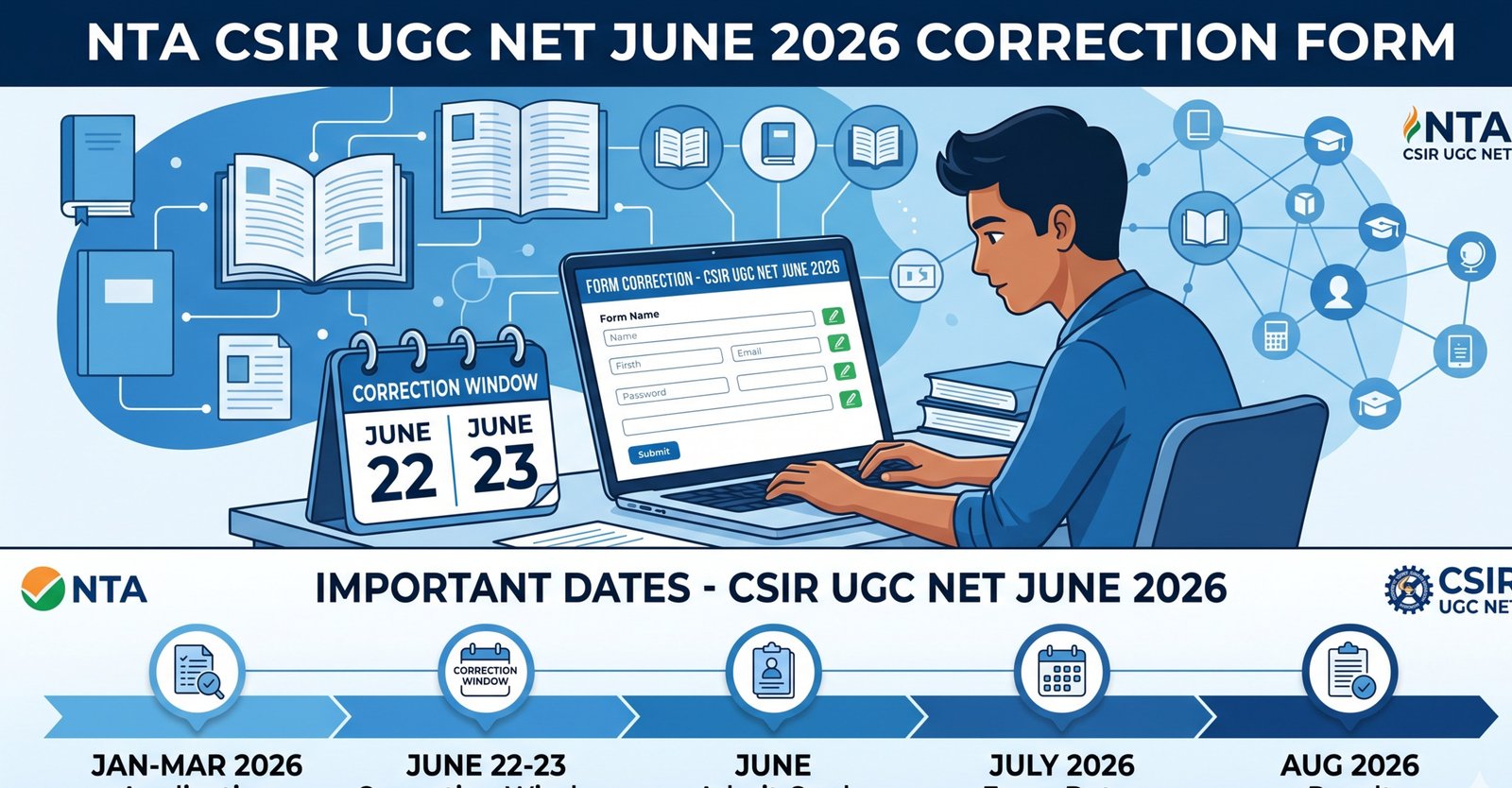
The CSIR UGC NET June 2026 Correction Form link went live on 22 June 2026, and it closes on 23 June 2026. That’s barely 48 hours. Miss this window, and your application could be rejected — or worse, your admit card might have wrong details that cause problems on exam day.
In this guide, you’ll learn:
- Exactly what corrections you can make
- Step-by-step instructions to edit your form
- Eligibility criteria and important dates
- Common mistakes to avoid
- Everything you need before the correction window slams shut
Let’s get straight to it.
Table of Contents
- What Is the CSIR UGC NET June 2026 Correction Window?
- Important Dates at a Glance
- Who Is Eligible for CSIR UGC NET 2026?
- What Can You Correct in the Application Form?
- Step-by-Step Guide: How to Edit Your CSIR NET Form
- Documents & Information You’ll Need
- Common Mistakes Candidates Make
- Preparation Tips While Waiting for the Exam
- Key Takeaways
- FAQs
1. What Is the CSIR UGC NET June 2026 Correction Window?
The National Testing Agency (NTA) conducts the CSIR UGC NET exam on behalf of the Council of Scientific and Industrial Research (CSIR). After the initial application period closes, NTA opens a short correction/edit window that lets candidates fix genuine errors in their submitted forms.
This is your one and only chance to correct mistakes — NTA does not offer any further opportunity after this period. The correction window for the June 2026 session is active from:
Start Date: 22 June 2026
Last Date: 23 June 2026
Think of it as a safety net. Whether you accidentally typed a wrong date of birth, uploaded a blurry photo, or selected the wrong exam city — this is the moment to fix it.
2. Important Dates at a Glance
| Event | Date |
|---|---|
| Application Form Release | Earlier in 2026 |
| Application Last Date | Before June 2026 |
| Correction Window Opens | 22 June 2026 |
| Correction Window Closes | 23 June 2026 |
| Admit Card Release | To be announced |
| CSIR UGC NET June 2026 Exam | To be announced |
| Result Declaration | To be announced |
Pro Tip: Bookmark the official NTA portal — csirnet.nta.ac.in — and check it daily during the correction window period.
3. Who Is Eligible for CSIR UGC NET 2026?
Before editing your form, confirm you actually meet the eligibility criteria. Here’s a quick recap:
Educational Qualification
- BS-4 year program / BE / B.Tech / B.Pharma / MBBS / Integrated BS-MS / M.Sc or equivalent with at least 55% marks (50% for SC/ST/PwD/Transgender candidates).
- Candidates in the final year of their qualifying exam are also eligible to apply provisionally.
Age Limit
- Junior Research Fellowship (JRF): Maximum 28 years as of the exam date (age relaxation of 5 years for SC/ST/PwD/Female candidates; 3 years for OBC-NCL).
- Lectureship / Assistant Professor only: No upper age limit.
Subjects Covered (CSIR NET)
CSIR UGC NET is conducted in five subjects:
- Chemical Sciences
- Earth, Atmospheric, Ocean & Planetary Sciences
- Life Sciences
- Mathematical Sciences
- Physical Sciences
Nationality
- Indian nationals only. Candidates with OCI/PIO cards should verify specific NTA guidelines.
4. What Can You Correct in the Application Form?
NTA typically allows candidates to edit the following fields during the correction window. However, always refer to the official notification for the final list:
Usually Editable:
- Candidate’s name (minor spelling corrections)
- Date of birth
- Category (General / OBC / SC / ST / PwD / EWS)
- Gender
- Exam city / test center preference
- Photo and signature (if earlier upload was rejected)
- Educational qualification details
- Subject / paper selection
Usually NOT Editable:
- Registered email ID
- Registered mobile number
- Application number
Important: NTA’s rules may vary by exam cycle. Always check the official circular published on csirnet.nta.ac.in before making changes.
5. Step-by-Step Guide: How to Edit Your CSIR NET Form
Follow these steps carefully. Work slowly — changes made here are final.
Step 1: Visit the Official Website
Go to csirnet.nta.ac.in or nta.ac.in. Do not use third-party links or unofficial portals.
Step 2: Click on the Correction Link
Look for the button or link that says “Application Form Correction / Edit – CSIR NET June 2026” on the homepage.
Step 3: Log In to Your Account
Enter your:
- Application Number
- Password / Date of Birth
- Security PIN / CAPTCHA
Step 4: Review Your Existing Form
Before making any changes, carefully read through all fields in your submitted form. Note which fields need correction.
Step 5: Make the Required Edits
Click on the editable fields and update the information. Upload fresh documents if required (photo, signature).
Step 6: Pay Additional Fee (If Applicable)
If your category changes (e.g., from reserved to general) or if new documents require payment, you may be asked to pay an additional fee online.
Step 7: Submit and Download Confirmation
After making all corrections:
- Click Submit / Final Submit
- Download the updated confirmation page
- Save it as a PDF and take a printout
Warning: Do NOT close the browser or leave the page before submitting. Unsaved changes will be lost.
6. Documents & Information You’ll Need Before You Start
Keep these ready before logging in — you’ll waste precious time searching for them mid-session:
- Application Number (from your original submission email)
- Password or Date of Birth (whichever you use to log in)
- Recent passport-size photo (JPEG, under 200KB, white background)
- Scanned signature (JPEG, under 100KB)
- Marksheet or certificate for educational qualification
- Category certificate (if changing category)
- Debit/Credit card or net banking details (in case additional fee is needed)
7. Common Mistakes Candidates Make — Avoid These!
Learning from others’ errors can save you major stress:
1. Waiting Until the Last Hour
The NTA portal often faces heavy traffic on the final day. Log in on 22 June itself and complete your corrections early.
2. Uploading the Wrong Photo
Your photo must be recent, clear, and with a white/light background. No spectacles, no caps. Blurry selfies get rejected.
3. Not Downloading the Confirmation
Many candidates correct the form but forget to save the final confirmation page. This is your only proof of correction.
4. Changing Information Unnecessarily
Only correct what’s genuinely wrong. Unnecessary changes can sometimes trigger re-verification and delay processing.
5. Using Unofficial Links
Scam websites sometimes appear during high-traffic periods. Always go directly to csirnet.nta.ac.in.
8. Preparation Tips While the Exam Date Is Announced
While you’re waiting for the admit card and exam schedule, don’t waste this time. Here’s how to use it well:
Know the Exam Pattern
- Part A (General Aptitude): 20 questions, attempt any 15 — 2 marks each
- Part B (Subject-related): Varies by paper
- Part C (Higher-order reasoning): Varies by paper
- Total marks: 200 | Duration: 3 hours
- Negative Marking: Yes — 0.5 marks deducted per wrong answer in Part A & B
Build a Study Schedule
- Dedicate 4–6 hours daily to subject-specific preparation
- Reserve 1 hour daily for Part A (logical reasoning, numerical ability, data interpretation)
Best Resources
- NCERT books for foundational concepts
- Previous year question papers (last 10 years minimum)
- Subject-specific reference books (e.g., Arihant CSIR NET series)
- YouTube channels and free mock tests on NTA’s official portal
Mock Tests Are Non-Negotiable
Start taking full-length mock tests at least 4 weeks before the exam. Time yourself strictly. Review every wrong answer.
Key Takeaways
- The CSIR UGC NET June 2026 correction window is open from 22 to 23 June 2026 — just 48 hours.
- Visit only the official NTA portal: csirnet.nta.ac.in
- Keep your application number, login credentials, and documents ready before starting.
- Make corrections early — don’t wait for the last hour due to server congestion.
- Download and save the final confirmation page after submitting changes.
- Eligibility: BS/M.Sc with 55% marks (50% for reserved), max age 28 for JRF.
- Use this waiting period for structured exam preparation.
Conclusion
The NTA CSIR UGC NET June 2026 Correction Window is a brief but critical opportunity. Whether it’s a name spelling issue, wrong exam city, or a photo rejection — now is the time to fix it. With just 22 and 23 June 2026 as your window, every hour counts.
Log in today, review your form carefully, make only the necessary corrections, and download your confirmation. Then refocus your energy where it matters most — cracking the exam itself.
Good luck. You’ve got this.
FAQs — NTA CSIR UGC NET June 2026 Correction Form
Q1. When does the CSIR UGC NET June 2026 correction window open and close?
The correction window opens on 22 June 2026 and closes on 23 June 2026. Do not miss this deadline as no further corrections will be allowed.
Q2. Can I change my exam subject during the correction window?
In most cases, yes — subject/paper selection is editable. However, confirm this with the official NTA notification on csirnet.nta.ac.in, as rules can vary per cycle.
Q3. Is there any fee for making corrections in the CSIR NET form?
There may be an additional fee if your category changes or if certain documents need updating. Check the official portal for the exact fee structure.
Q4. What if the NTA website is not opening during the correction period?
Try accessing the site during off-peak hours (early morning or late night). Clear your browser cache or try a different browser. Avoid the last few hours of the deadline.
Q5. Can I correct my registered mobile number or email ID?
Generally, registered mobile numbers and email IDs are not editable through the correction window. Contact NTA’s helpdesk for such issues.
Q6. What documents should I upload if I’m correcting my photo?
Upload a recent passport-size photo in JPEG format, under 200KB, with a plain white or light background. No dark backgrounds, spectacles, or filters.
Q7. How will I know if my correction was successfully submitted?
After final submission, you’ll see a confirmation page on screen. Download it as a PDF and also check your registered email for a confirmation message from NTA.